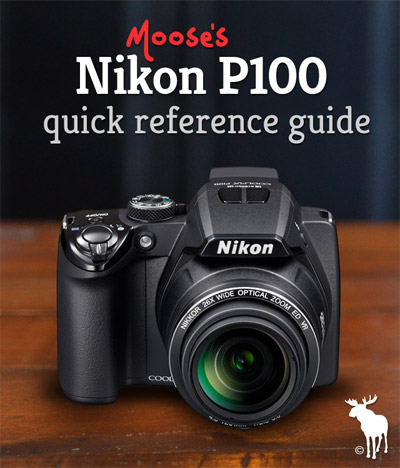
Nikon P100 Forum for Beginners

Welcome to the Nikon P100 forum for beginners! Share questions, answers and tips with other P100 owners all across the world.

This forum doesn’t require a login or username…just add a comment to this post and you’ll receive replies from me (Moose) and other P100 users.

  • To start a topic, just select the ‘Add a Comment‘ button below or click here.
  • To reply, just hit the ‘Reply‘ button at the top of each topic.

So let’s talk about the Nikon P100!

Add a Comment | Read Comments

Nikon P100 Sample Photos

For those of you who haven’t checked out my Nikon P100 vs Fuji HS10 comparison, I wanted to show you some sample photos taken with the Nikon P100. These photos won’t win any awards, but it’ll give you an idea of how the P100 performs in many different shooting situations.

Continue Reading Continue reading…

Add a Comment | Read Comments

Nikon P100 Memory Card Advice

Howdy friends! Wondering which memory card to get for your Nikon P100? In this post I’ll answer all your questions about the different types of memory cards for the Coolpix P100.

If you’d like to skip straight to my memory card recommendation for the Nikon P100, click here.

Nikon P100 Memory Card Types

The P100 takes 2 types of memory cards…

  • SD
  • SDHC

Now if the above list sounds confusing, don’t worry! The major difference between the two types of cards is the capacity or the amount of images or video they can hold.

SD cards can hold up to 4GB worth of images and video.

SDHC cards can hold up to 32GB worth of images and video.

On page 180 of the Nikon P100 Manual it states that SanDisk, Toshiba, Panasonic and Lexar branded memory cards have been tested and “approved” to work with the P100. Don’t worry too much about buying a memory card from the above list. I’ve been using a 16GB SDHC Transcend memory card with the P100 and it has performed brilliantly.

Image Capacity on the Nikon P100

Now that you know the different types of memory cards that work with the P100, I wanted to give you an idea of the image capacity depending on which card you choose.

  • A 4GB SD card will give you approximately 775 photos using the Fine image quality setting.
  • A 16GB SDHC card will give you approximately 3,100 images using the Fine image quality setting.
  • A 32GB SDHC card will give you approximately 6,200 images using the Fine image quality setting.

HD Video Capacity on the Nikon P100

There are no memory card speed class requirements for shooting HD video on the P100, however, it would be a good idea to go ahead and get a Class 6 memory card. The term Class 6 basically refers to the minimum write speed, which is 6 megabytes per second. Class 6 memory cards can consistently record at a rate of 15 to 20 megabytes per second which is more than enough for HD video on the P100 which records at 14 megabytes per second. Memory cards that write too slow may experience playback issues and other recording problems.

  • A 4GB SDHC card will give you approximately 34 min of HD 1080p video.
  • A 16GB SDHC card will give you approximately 136 min of HD 1080p video.
  • A 32GB SDHC card will give you approximately 272 min of HD 1080p video.

Best Memory Card for the Nikon P100

Transcend 16GB Class 6The best memory card for the Nikon P100 based on both price and performance is the Transcend 16GB class 6 memory card.

This memory card will allow you to capture 3,100 images OR 136 minutes of video at the highest quality settings. It comes equipped with a Class 6 rating which ensures that HD video is recorded correctly without any hiccups in performance. It’s currently on sale at Amazon, click here to check the lowest price.

If you’re at your computer, take a quick look at the memory card reader and see if it says SDHC anywhere. If it doesn’t, then your computer won’t be able to read SDHC memory cards using the SD slot. For those of you in this category, I recommend getting the Transcend 16 GB with USB Card Reader package. For additional $5 you get the 16GB memory card and a USB memory card reader which will allow your computer to read SDHC memory cards.

Add a Comment | Read Comments

Nikon P100 Battery Tips and Advice

Howdy friends! In this post I’ll answer all your questions about which batteries work with the Coolpix P100 and how many shots you can expect on a full charge.

Nikon P100 Battery Types

The Nikon P100 is compatible with the rechargeable Li-on EN-EL5 battery. I have a total of three EN-EL5 batteries for my P100…one in the camera, one in my pocket and another at home in the Nikon MH-61 Battery Charger.

Nikon does not include a battery charger with the Nikon P100. They require you to plug the P100 into a wall socket using the included AC adapter. This seems kind of pointless to me, so I went ahead and got the Nikon MH-61 Battery Charger so I can take the P100 with me everywhere I go and still have a battery charging at home.

Unfortunately the P100 is NOT compatible with AA or AAA batteries. If you’re on vacation and your battery runs out, you’ll have to wait 3 hours and 30 minutes for the EN-EL5 to charge…that’s why I recommend getting at least one extra EN-EL5 battery as a backup.

Nikon P100 Battery Life

I was able to get around 250 photos on a full charge. When shooting video, I was able to get between 60 to 90 minutes of recording time on a full charge.

Extend the Battery Life on the Nikon P100

  • Lower the LCD Brightness – If you’re indoors, lower the LCD brightness to save battery power. The LCD Brightness option is located inside the setup menu.
  • Turn Off Image Review – You can minimize battery consumption by disabling Image Review. I usually take a series of images and then review them once I’m finished to make sure I got the right shot. The Image Review option is located inside the setup menu.
  • Auto Power Off – You can increase battery life by reducing the length of time before the camera turns off automatically. The Auto Power Off option is also located in the setup menu.
  • Use the EVF – If you’re in a pinch and need to conserve as much battery power as possible, try using the electronic viewfinder (EVF) instead of the LCD. You can do this by pressing the EVF/LCD button.
  • Clean the battery contacts – Believe it or not, cleaning the battery contacts can actually extend the life of your batteries. Take a few minutes each time you place the batteries into your P100 and clean the contacts with a microfiber cloth.
  • Use body heat – If you’re shooting in temperatures lower than 41 degrees, the battery performance will drop significantly. If you’ve got an extra set of AA rechargeable batteries, put them in your pocket so that they’re up against your body. The warmth will help the batteries hold a longer charge.

Should you get an extra battery for the Nikon P100

For everyday use, you probably don’t need a extra battery. If you’re going out on an all day trip with your family (beach, theme park, etc…) then I highly recommend purchasing an extra battery. The EN-EL5 batteries can’t be purchased at a local convenience store. So if you’re out with your family and run out of power, you’ll have to locate an electronics store that specializes in photographic equipment and hope they have one in stock. Nothing is worse than missing a moment of a lifetime because your P100 ran out of power, so make sure you have an extra battery.

If you have any other questions just submit a comment to this post and I’ll get back to you lickety split.

Happy Shooting!

Add a Comment | Read Comments

Nikon Coolpix P100 Instant Rebate

Nikon has announced a new $20 instant rebate for the Coolpix P100 digital camera, click here. The instant rebate is a special Father’s Day promotion so it’s only valid until June 26, 2010.

Happy Shooting!

Add a Comment | Read Comments

Nikon P100 HD Video Sample

Howdy friends! I got a ton of requests to shoot some HD video with the Nikon P100, so here you go…

Before you press play, here are a few notes…

  • I thought the HD video quality on the P100 was quite good.
  • The microphone is very sensitive and picked up sounds of me zooming.
  • When zooming in from wide-angle to full telephoto, the auto-focus took about two and a half seconds to lock focus.
  • When zooming out from full telephoto to wide-angle, the auto-focus was much quicker.

I’m not a videographer by any means, but this will give you an idea of the HD video quality on the Nikon P100.


Watch on YouTube: Nikon P100 HD Video Sample

If you have any specific questions related to HD video recording on the Nikon P100, go ahead and leave me a comment to this post. Happy shooting!

Add a Comment | Read Comments

Nikon Coolpix P100 Manual

Howdy Nikon P100 owners! Looking for a downloadable or printable version of the Coolpix P100 manual? I posted a couple quick links to the P100 User Guide along with some download instructions.Nikon Coolpix P100 User's Manual Here you go…

You can instantly download the official Nikon P100 user’s guide by clicking here (this PDF manual is provided by Nikon).

If you’d rather download the manual from Nikon’s website, just go to the Coolpix P100 resource page located here: www.nikonusa.com

  1. Once you’ve reached the P100 homepage, locate the ‘Related Links‘ section.
  2. Click on the link labeled ‘Product Manual‘.
  3. This will take you to their Support page where you can download a printable or non-printable version of the Coolpix P100 user’s guide. The printable version requires a serial number.
  4. The Nikon P100 PDF User’s Manual is around 12MB, so it may take a few minutes to download to your computer depending on your internet connection.
  5. Once you’ve downloaded the manual, Adobe Reader should open and display it automatically.

Those of you who don’t know what a PDF is, it’s basically a digital document that you can view instantly on your computer. Most computers come pre-installed with Adobe Reader which is a free software program used to display PDF documents. Just Google “Adobe Reader” to find the latest version available on Adobe’s website.

Add a Comment | Read Comments