Canon Rebel T2i Memory Card Advice

By   |  Reward me
|  Pin this  |  Share this

Take a look at my notes which attempt to answer all of the questions and concerns faced when purchasing a memory card for the Canon T2i. I'll shed some light on compatible memory cards, specific requirements for HD recording, the number of images you can expect to take, estimated movie recording times and other important info.

Compatibility

SD Memory - Canon T2i

SD – Up to 4GB worth of images and video.

SDHC Memory - Canon T2i

SDHC – Up to 32GB worth of images and video.

SDXC Memory - Canon T2i

SDXC – Up to 128GB (currently) worth of images and video.

Image Capacity

The information below shows the total number of images that can be recorded with the T2i (based on memory card size)…

4GB – 570 images (fine) and 160 images (raw)
8GB – 1,140 images (fine) and 320 images (raw)
16GB – 2,460 images (fine) and 640 images (raw)
32GB – 4,920 images (fine) and 1,280 images (raw)
64GB – 9,840 images (fine) and 2,560 images (raw)

HD Video Requirements

In order to record HD video on the T2i, your memory card will need to have a Class 6 rating or higher. If it doesn’t meet this requirement, video recording may stop unexpectedly.

Video Capacity

No matter how large your memory card is, video clips are limited to 12 minute segments. The information below shows the overall recording time based on the highest quality movie frame size (1920×1080):

4GB – 12min (.mov)
8GB – 24min (.mov)
16GB – 48min (.mov)
32GB – 96min (.mov)
64GB – 192min (.mov)

Speeds & Ratings

Class Ratings

Canon T2i Memory Card Class RatingsClass ratings represent the minimum write speed for a memory card. So a memory card with a Class 6 rating will have a minimum write speed of 6 megabytes per second. As mentioned above, Canon requires a Class 6 card or higher in order to record and playback HD video with the T2i. I recommend going with a class 10 rating just to be safe.

Speed Ratings

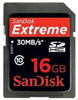
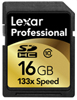
Canon T2i Memory Card Speed RatingsSpeed ratings represent the maximum read/write speeds. If you plan on recording HD video, shooting long bursts of images (10+) in continuous mode or capturing RAW images with your T2i, then I recommend going with a Lexar Professional (133x or higher) or a SanDisk Extreme (30MB/s or higher).

My Picks

Lexar and SanDisk memory cards are the safest bets when it comes to reliability and performance. I’ve used them for years and trust them with all of my pro work. Recently, I’ve been using Transcend cards for personal use and have been pleasantly surprised. Again, if you plan on utilizing some of the more advanced features on the T2i (video, RAW, burst) then go with a Lexar Professional (133x or higher) or a SanDisk Extreme (30MB/s or higher). If you just need something for everyday (personal) use, Transcend (class 10) cards are an excellent value.

Here are my memory card picks for the Canon T2i…
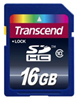
Transcend 16GB Class 10

8GB (class 10)
16GB (class 10)
32GB (class 10)

SanDisk 16GB Class 10

8GB (class 10)
16GB (class 10)
32GB (class 10)

Lexar 16GB Class 10

8GB (class 10)
16GB (class 10)
32GB (class 10)

Memory Card Tips & Tricks

Make sure your computer can accept SDHC memory cards

If you’re at your computer, take a quick look at the memory card reader and see if it says SDHC anywhere. If it doesn’t, then your computer won’t be able to read SDHC memory cards using the SD slot. For those of you in this category, I recommend getting a memory card reader that can accept SDHC cards, like this one.

Card Reminder

Have you ever been so focused on your subject that you snapped off a few photos only to find out that you forgot to insert your memory card? By activating this feature inside the T2i menu system, the message “Card” will be displayed in the viewfinder and the shutter will be disabled. You can read more about how to enable this setting on page 138 of the T2i manual. If you don’t have the manual in front of you, it’s basically located under the first tab and labeled ‘Release shutter without card’. Just click the ‘Set’ button to bring up the options and then select ‘Disable’.

Formatting the Card using the Low Level Format Option

Whenever you get a new memory card or if you have an existing card that you plan on using with the T2i, it’s a good idea to go ahead and perform a low-level format. The reason for this is to reduce the chances of memory card issues and errors in the future. If you have a card that you previously used on another camera, that camera will have it’s own filing system. Imagine filing all of your important documents a certain way and then your spouse comes in a re-organizes the files their way. This can lead to potential problems, so it’s best to do a low-level format in order to start from scratch and allow the Rebel T2i to correctly organize the memory card structure. In order to do this you can reference page 42 of the T2i manual. If you don’t have the manual in front of you, just go to the T2i menu system and select the 1st wrench tab. Under this tab you will see an option labeled ‘Format’. Click the ‘Set’ button on the back of the T2i to bring up the format options. In order to enable the low-level formatting you will then have to select the ‘Trash Can’ icon. Once the ‘Low level format’ option is checked, then select ‘Ok’ to begin the format.

Eye-Fi settings

If you’ve purchased an Eye-Fi card, then you’ll want to enable the Eye-Fi transmissions feature inside the T2i menu system. You can read more about how to enable this setting on page 208 of the T2i manual. If you don’t have the manual in front of you, just access the T2i menu and locate the 1st wrench tab. Under this tab, you will see an option for ‘Eye-Fi settings’ when an Eye-Fi card is inserted in the T2i. Click the ‘Set’ button on the back of the T2i to bring up the menu and then select ‘Enable’.

Check out the T2i homepage for more tips, advice and recommendations. Happy shooting!

P.S. You can reward me by using your shutter clicking skills on the Google +1 button. In return, I'll cook up more tips and tricks to share with you. Thanks for your support! :)
Add a Comment or Ask a Question
Got questions about lenses, gear or recommended settings for your Canon T2i? Well, good news! You can connect with me (Moose) right now and get answers...
Post it to the T2i Forum Start a new topic or post a comment to a current thread and I'll get back to you lickety split.
Ask me stuff on Google+ Just type +Moose Winans into your Stream box along with your comment or question.
Ask me stuff on Facebook Just click the Like button on my facebook page and then post a comment or question to my wall.
Ask me stuff on Twitter Just start your tweet with @MooseWinans followed by your comment or question.


155 Responses to “Canon Rebel T2i Memory Card Advice”

  1. Andrew says:

    The low level formatting worked! I really needed that! I have a class 10 200x Pro Photo Duracell SDHC card, and it was stopped after 5 seconds of video. Very frustrating because it’s quite a high-quality card. Did the low-level formatting, now it works perfectly!

  2. GIL says:

    Hello, Just got my canon t2i and i got the transcenf 16GB clas10 memory card. My question is, what is the difference between a regular format and a low level format? I already did a regular format. can I redo to a low level format and will this get me more pics on the memory card? Also my camera states I get 1340 aprox pictures and it counts down from there as I take pictures. Is there something I need to change so that I get 2460 pictures?

    • Moose says:

      Howdy Gil,

      To put it simply…a regular format erases images/photos and sets up the organizational structure of the card so that it’s compatible with the T2i. The deleted data can be recovered using recovery software.

      A low level format completely wipes the card clean and prevents you (or someone else) from recovering deleted photos/videos from the card. A low level format often fixes memory cards when they become corrupted.

      As for the total number of shots, it can vary based on the sharpness and detail of your images. The 1340 number is only a rough estimate provided by the T2i. That number will also vary based on video clips that have been saved to the card.

      - Moose

  3. Jaime says:

    Approximately how long does the T2i battery last while shooting HD video?

    • Moose says:

      Howdy Jaime,

      I don’t have any exact figures, but in general use I seem to get around 90 to 120 minutes of video (12 minute maximum clips) or live view shooting on a full charge.

      - Moose

  4. Emily says:

    Hi,
    I just bought a Canon Rebel T2i, and have an SD 4GB memory card. I have a Macbook Pro, and plugged the memory card directly into the computer before installing the canon image software on my computer. Stupid I know, but I wanted to check if Iphoto would accept the pictures; it tried to upload and then didn’t. After properly installing the software, even when connecting the memory card through the USB cable from camera to computer, the card won’t allow me to upload them, and gives me an error message. Also the camera keeps giving me the error message when I try to take pictures. What should I do to save the pictures? Is it possible to reformat the card without losing the pictures?

    • Moose says:

      Howdy Emily,

      What sort of error messages are you receiving? You shouldn’t have to install the included software in order to view images on your memory card.

      Any chance your 4GB SD card is actually a 4GB SDHC card? If the slot on your MacBook is only compatible with SD cards, then it won’t be able to read your memory card. You’ll have to hook up the T2i to your laptop or buy an external memory card reader.

      Let me know.

      - Moose

    • Emily says:

      Hey Moose, thanks a million for the quick response!

      The card is definitely SD. When I attach it through my camera with the USB cable, Canon’s “Digital Photo Professional” software comes up and I choose “start downloading photos”, all seems to be loading. But then the camera gives me the message: ” Err 02 Ext. Media cannot be accessed. Reconnect change or format the external media with a computer”, and none of the pictures are transferred. The computer gives me the message “The camera was disconnected during downloading. Reconnect and try again”.

      Also when I look back through my pictures on my memory card in my camera is sometimes says, “Picture cannot be accessed”, and it won’t let me delete any pictures, or take any new ones.

      Thanks for all your help- I love this camera but this is frustrating!

    • Moose says:

      Howdy Emily,

      Any chance that the “lock” switch on the side of the memory card got accidentally flipped into the lock position? If you can, try transferring the images to another computer or use a memory card reader to access the data manually. Once the images are off the card, run a low level format using the T2i menu system.

      - Moose

  5. Von Bryan says:

    I’ve recently purchased a Transcend 8gb Class 10 sdhc card for my t2i. It was working perfectly at first but then after about a week, the camera could not access the card and it stated to format/change the card. I tried formatting it but no luck. Any suggestions on what I should do?

    • Moose says:

      Howdy Von,

      What happens when you try to format the card inside the T2i? Does it give you any error messages? Let me know.

      - Moose

  6. Chad says:

    I just recently purchased a Canon Rebel T2i and have two questions:

    1) Does it come with a memory card? If so, what is it?

    2) I have a Macbook Pro and it does have a memory card slot on the side. Do you know if it accepts the SDHC?

    • Moose says:

      Howdy Chad,

      1) No, the T2i does not come with a memory card. You have to purchase one separately.

      2) It depends on the year of your Macbook Pro. If it’s two years or older, I would guess that it only accepts SD cards. However, you can purchase a SDHC USB memory card reader for a couple bucks on Amazon.

      Happy shooting!

      - Moose

  7. Tony Rauch says:

    Hi where can I purchase the LCD screen protector from for the T2i and do you have the manuf ref and part number

    thanks tony

    • Moose says:

      Howdy Tony,

      Canon doesn’t offer a LCD screen protector for the T2i, so you’ll have to purchase one from a third party manufacturer. I like the glass protectors from GGS. Check out my review here. Happy shooting!

      - Moose

  8. Tammy says:

    I just purchased the T2i and love it so far. I am a beginner when it comes to HD video. I purchased the SanDisk Extreme HD Video 8gb card. It is class 6 but I still have choppy video when played back on my computer. It is not choppy when played on the camera itself. Am I doing something wrong? I even downloaded their zoombrowser software and it plays choppy in their as well. Any suggestions? I also only take a few minutes at a time with video.

    • Moose says:

      Howdy Tammy,

      This is a common problem with Windows users. The T2i captures video in .MOV format (an Apple proprietary file format) which doesn’t playback well on Windows computers. The first thing you can try is downloading the free version of Splash lite (link) and see if your video plays back smooth. If the video is still choppy, then the issue is with your video card. You can either spend the money and upgrade to an HD enabled video card or spend the time to convert each .MOV file over to a Windows friendly format (like .WMV). Hope that all makes sense.

      - Moose

  9. cindy says:

    So, if my memorycard slot on my laptop doesn’t take SDHC besides getting the reader you recommend, could I also just get a USB card adapter?

    • Moose says:

      Howdy Cindy,

      Yes, a USB card reader will be fine as long as it accepts SDHC cards. Happy shooting!

      - Moose

  10. Ruth Ann says:

    Dear Moose,

    I heard about EASEUS Data Recovery Wizard that you can download free and recover photos from the memory card.
    I lost a few pictures on my memory card by hitting format on my camera. Can this program help me?

    Thank you very much.

    Ruth Ann

    • Moose says:

      Ruth Ann,

      I’ve had some success with the free version of Lexar’s Image Rescue program (link). Give it a try and let me know if you recover those lost photos…best of luck!

      - Moose

  11. Craig says:

    I have the Canon t2i and am having trouble downloading video to my computer. I have a class 10 16gb card and a new laptop. I have tried it with Picasa. There are videos on the card, when I put it in the reader Picasa comes up, but does not find the video. It does find the photos. Thanks
    Craig

    • Moose says:

      Craig,

      Just transfer the videos manually over to your hard drive. If you’r eon Windows, open up ‘My Computer’ and select the memory card drive. After selecting the memory card drive, navigate to the .mov files and drag them over into a folder on your hard-drive. Happy shooting!

      - Moose

    • Craig says:

      I was able to get the videos on my computer using canon’s zoom browser program and I can view them there, but I am not able to open them in any other program like picassa or windows photo viewer. What I really want to do is be able to save them to a dvd or upload them so they will be saved if my computer crashes.
      Thanks
      Craig

    • Craig says:

      When I try to burn a cd I get this message “One or more of the files you have selected is not a supported file type and cannot be added to the list. I have gotten similiar messages when I try to upload them. It must have something to do with the file type. Do you know what I can do to fix this.
      Thanks
      Craig

  12. Dan Georges says:

    I just purchased, and received, my Canon T2i.
    I ordered the Transcend16 GB Class 10 SDHC card as well.
    The camera did not recognize the card (and before anyone asks, the card was NOT in the locked state). It would not format it – low level or otherwise.
    My computer did not recognize it either.

    My guess is that Transcend cards go through minimal, if any, quality control.

    I am probably going to go with a more mainstream brand (e.g., Sandisk).

    .

    • Moose says:

      Howdy Dan,

      Sorry to hear about your memory card issues. Did you receive any kind of error or did the T2i just say “no memory card”?

      Having been in the digital world for quite sometime, I’ve experienced strange issues like this across all brands, including SanDisk.

      Amazon is really good about taking back and exchanging memory cards, so you shouldn’t have any problem getting a new card. Best of luck!

      - Moose

    • Dan Georges says:

      Moose,
      Thanks for the fast reply!
      I’ve actually never had a bad card before – and I have dozens.

      The message in the camera was something like “no card found”.
      When I put it into my computer (which can read SDHC cards), it saw the card as having a 1.00 GB capacity. That didn’t seem right, so I tried formatting it. It failed that process.

      Amazon didn’t have any problem with a refund. Because it was from a third party vendor, they couldn’t replace it – nor would I want them to.

      I’m going to try the SanDisk card – it’s half the capacity (8 GB), but my understanding is that it’s a pretty good card (Extreme version -SDSDX3-008G-P31).

      By the way, I’m a bit surprised at how “toy-like” the T2i feels. It seems very light and insubstantial. Nothing like my Yashika from years ago.

      I really hope I made the right decision and it actually holds up under what I would consider “normal” shooting (vacations, kids activities, etc.).

      Other than that, the photo quality seems excellent. I haven’t tried too many features yet (only got it yesterday), and I’m using a MicroSD card with adapter (Class 4) as an interim “film” until the new card arrives.

      Thanks again, Moose!

    • Dan Georges says:

      Is the photo on this page of the SD Card being inserted into the camera incorrectly?
      It looks like the card isn’t facing the right way.

      This could be my problem with the Transcend cards. Maybe they go in another way?

      Too bad – I already sent it back to Amazon…
      Dan

    • Moose says:

      Dan,

      Good to hear Amazon refunded the card for you, that’s why I love them.

      Completely agree about the T2i build quality. It does feel a bit “cheap” especially compared to magnesium alloy bodies, but thankfully it doesn’t affect image quality. It should hold up fairly under normal usage. While the exterior leaves a lot to be desired, it is built on a stainless steel chassis.

      Ha! I took the photo that way so the “Transcend” logo could be visible…good eye though! :)

      - Moose

  13. feu1313 says:

    Hi, I am looking at Transcend 64GB Class 10 SDXC (about $190) on ebay and amazon, is that compatible with the Canon t2i? I am thinking on buying that or 2 pieces of Transcend 32GB Class 10 SD SDHC (about $60 a pop). Would you recommend of me buying 2 of the 32 gb, which will be cheaper, or just one of the 64gb. Thank you very much.

    • Moose says:

      Feu,

      Definitely go the 32GB route. A 32GB card will never limit you in any way. If you’re shooting video, you’re limited to a maximum of 4GB (12 minutes) of video per clip. It takes literally 5 seconds to switch cards, plus having separate cards can be beneficial because you can transfer data with one and continue shooting with the other. Happy shooting!

      - Moose

    • feu1313 says:

      Hi, thanks for the reply Moose, really appreciate it!

  14. Harry Schiff says:

    Hello Moose,

    I ordered a Transcend 16GB SDHC 10 from Amazon. In a return mail they mentioned the Transcend with Flash added. What’s the difference?

    Thanks.

    Harry

    • Moose says:

      Harry,

      Sounds like they’re talking about an included flash drive which plugs into your USB port allowing your computer to read SDHC memory cards.

      - Moose

  15. Marla says:

    Hi Moose, I was taking pics and noticed a flashing in lower right corner of screen EXPSIM. I don’t find any info can you help? Thanks

    • neil says:

      Hello Marla,

      EXPSIM is short for exposure simulation. In manual modes if you do not have the flash popped up/enabled the camera adjusts the live view to show the exposure without the flash. Enable the flash and this will stop flashing and your live view will get much brighter.

    • Moose says:

      Neil,

      Thanks for answering Marla’s question…it’s greatly appreciated!

      - Moose

  16. R.I.P. says:

    Hey Moose, I was looking at getting one of these for my new T2i, (The Lexar 32GB, 100x Platinum II Secure Digital High Capacity (SDHC) Memory card is a high-speed, high-capacity card designed for sustained rapid-fire picture-taking and full-motion video with SDHC-enabled digital devices.)(Price $59) How does it compare to the Transcend 32GB (Class 10) that you recommend? And, do you have any recommendations if I want to go with an SDXC card, how do they compare to the SDHC’s?

    • Moose says:

      RIP,

      You won’t notice any major performance increase between the Lexar and the Transcend with your T2i, however, you will notice a performance increase when transferring photos/videos to your computer. The Lexar will allow you to do it a bit quicker, especially when the card is full.

      SDXC isn’t any “better” than SDHC cards. The major difference is total storage capacity. SDHC maxes out at 32GB, while SDXC start at 32GB and can go all the way up to 2TB. Happy shooting!

      - Moose

  17. Katy says:

    Hi Moose,

    I’m currently using a Transcend SDHC 16G Class 6 card on my T2i. But I can only record a video for a few seconds. Very frustrating! Tell me what I’m doing wrong here. Thank you Moose!

    • Moose says:

      Katy,

      This problem seems to be associated with memory cards that have a Class 6 rating or lower. The Canon manual states a Class 6 requirement in the manual, but it seems that a Class 10 card should be the requirement.

      Towards the end of the post above I mention the issues with Class 6 cards and video recording. I think I’ll go ahead and update the requirement to Class 10 for video recording, even though Canon says Class 6 is fine.

      At this point, your best bet is to lower the video quality in order for the Class 6 card to keep up with the buffer rate.

      If you purchased the card with Amazon, I would tell them the issue and see if you can switch it out for a Class 10 card.

      - Moose

    • Katy says:

      Hi Moose,

      Thank you so much for your response.

      As you suggested, I called Amazon & they agreed to let me return it & I’ll be getting the class 10 for sure.

      ~Katy

    • Moose says:

      Katy,

      That’s why I love Amazon…great customer service! Happy shooting!

      - Moose

  18. John says:

    I am new to the T2i. I took video on the camera. I downloaded to the computer and then to a DVD. The DVD does not play on my DVD players. But it will play on the computer. Do I need A specific software to download so I can play video on the DVD player. I have Samsung blueray players that supports DVD’s.

    • Moose says:

      John,

      It sounds like you copied the .MOV file over to a DVD and tried playing it in your DVD player. In order to create a DVD movie, you’ll need software that will author the .MOV file into a playable DVD format. I’ve heard some good things about Roxio’s Easy Video software, but haven’t tested it out personally. Happy shooting!

      - Moose

  19. Peter Stockley says:

    Having taken some HD video since purchasing my T2i a few months ago, I noticed that after taking video clips at Christmas, the last frame in the video clip is frozen as if a still image had been stuck on the end of the clip. All of the other clips taken prior to this begin and end suddenly. This is happening when running it in a video editing program. I’m puzzled, what’s going on.

    Peter

    • Moose says:

      Peter,

      Do you have an HD enabled video card in your computer? What class is your memory card (2, 4, 6, 10)?

      - Moose

    • Peter Stockley says:

      Hi Moose,

      I have a SanDisk SDHC Class 10 memory card, and the video card is a ATI Mobility Radeon HD 3670.
      Peter

    • Moose says:

      Peter,

      Try downloading Splash lite (link) and see if that corrects your issue. PC’s have some trouble with decoding HD .MOV codecs. The Splash player seems to do a pretty good job rendering T2i HD video files.

      - Moose

    • Peter Stockley says:

      Thanks Moose, I’ll try that.

      Peter

  20. Michael says:

    Okay, I will sound like a broken record, but WHAT AN AWESOME SITE. The information and discussion threads are wonderful. Thank you for doing this.

    I just purchased a X2I and am new to DSLR HD Video. I saw in one of the posts that you said the learning curve for video is steep for beginners. I am one of those beginners and am curios if there is a learning video or other media that you suggest to make the climb not so steep.

    Second question, will reducing the recording size to 1280×720 eliminate the issues associated with video quality if I don’t have an HD video card?

    Happy Holidays.

    Michael

    • Moose says:

      Michael,

      It’s good to hear that my site has been helpful to you, that’s exactly why I created it! :)

      HD video on DSLR’s is a very new technology, so there isn’t a ton of information on the subject…however, I’ve just recently started reading “From Still to Motion: A photographer’s guide to creating video with your DSLR” and can honestly say that it’s the best book on the subject. If you’re looking to learn everything from which lenses to use and post production workflow, this book cover it all. The book on Amazon (see it here) comes with a DVD that has more tutorials and tips for shooting video with a DSLR.

      I would highly recommend getting a Class 10 memory card if you plan on shooting video. I ran into a couple issues when trying to record long segments with a Class 6 card…it has something to do with the buffer rate.

      - Moose

    • Michael says:

      Sorry, I have been away from work/computer for a couple of weeks.

      Thank you for taking the time to give me guidance on the DLSR book and video.I will be ordering the book this weekend.

      Again, this site and your expertise are very much appreciated. I personally vote this site the Best I used in 2010.

      Happy New Year!

      Michael

    • Moose says:

      Michael,

      Thanks for your vote! :) Hope you had a wonderful holiday season…here’s to shooting great pics and vids in 2011.

      - Moose

  21. JD says:

    Awesome site! I know you have given your recomendation on SD cards, but I wanted to ask a couple of questions.

    1) Bought the Canon T2i and looking for the best bang for buck card. Ordered one through Camera Kinds where I got the camera from and they are sending me a Digital Extreme class 6 error free 16GB card. Is Digital Extreme even a brand or is this a generic one they make?

    2) Should I send back and get the Transcend or sandisk? definitely want the 16GB and need class 6 or 10? Will be using the HD video.

    3) I don’t want to spen too much, but I don’t want to get a fake on a website advertising $40. How much is too cheap???

    • Moose says:

      JD,

      1) Not sure, probably a re-branded card.
      2) It’s your call, for video I recommend purchasing a Class 10 card. People have reported buffering issues with the Class 6 cards, even though Canon says Class 6 is the requirement.
      3) The Transcend Class 10 16GB cards can be purchased for less than $30 bucks.

      - Moose

  22. Kevin says:

    Just bought my wife a T2i for x-mas, looking to get a memory card to go with it. Is the amount of time the card takes to write and store data, very important!

    Thanks for the help.

    Kevin

    • Moose says:

      Kevin,

      It depends on your shooting style. If you plan to take lots of HD video or shoot primarily in RAW, then I would spring for the faster class 10 cards…otherwise the class 6 cards would be fine for everyday shooting.

      - Moose

  23. Rocky the flying squirrel says:

    First of all great article! There’s alot of great info and it’s very helpfull. However I did a little more digging with the information you provided and looked to Tom’s Hardware for more advice and found that the SanDisk Extreme C10 has tested to be considerably faster card than Transcend’s C10. Does this mean the bottleneck is the Canon T2i? Will it not use the extra speed that you give it?

    • Moose says:

      Rocky,

      Think of it like buying tires for your car. You buy one set of tires with a speed rating of 130 mph and another set of tires with a speed rating of 150 mph.

      Lets say your car is only capable of going 120 mph. Will the tires with the 150 mph speed rating make you go any faster than the tires with the 130 mph rating?

      Unless you’re splitting hairs, you won’t notice any “major” differences between the two cards when it comes to RAW image capturing or HD video recording.

      Were you might notice a difference is when transferring images/videos over to your computer. The SanDisk card may have a higher transfer rate than the Transcend, which could shave a few seconds off your upload time.

      Hope that makes sense. Happy shooting!

      - Moose

  24. Cathy says:

    Hello Moose. Great Site!!! I’m looking for a memory card for my Husband who just recently purchased a T2i. He mentioned Eye-Fi. Do you think those are a good choice? He loves the idea of wireless but I just don’t know how well it would work. Any advice would be helpful. Thank you for a great resource site :)

    • Moose says:

      Cathy,

      Yes, Eye-Fi cards are very cool. I really think that in 3 to 5 years, all memory cards (or cameras) will have wi-fi capabilities. As long as you have a strong signal (close to the access point), then you should have no trouble transferring images. I use them when I do photo-shoots in my studio, very convenient. Best of luck!

      - Moose

    • Cathy says:

      Can we be friends lol! Kidding! Thanks fir your insight. It is very helpful! Take care!

    • Moose says:

      Cathy,

      Of course we can…happy shooting! ;)

      - Moose

  25. Butch Burdick says:

    I am looking to buy a battery grip with lcd time readout. Any suggestion as to best product for the money?

    • Moose says:

      Howdy Butch,

      I wish I could help you out, but I haven’t tested any of the third party LCD Timer battery grips with my T2i…so I can’t really comment on them or recommend a specific model to you. Best of luck!

      - Moose

  26. Jenn Garner says:

    Hi Moose,

    This is probably a very amateur question as I just bought my first SLR (the Canon Rebel T2I). What do you recommend for an extra battery? Would you go with generic or Canon brand?

    As far as memory I’ve decided to go with the Transcend 32GB, my husband is an avid surfer and we are gearing up for a big surfing trip and bringing the kids along. Im planning to take tons of shots and HD video, I purchased the memory card reader (Thank You SO much for including that piece of info…I would never have known I needed that).

    Your website has been extremely useful…I really appreciate the help!

    Sincerely,
    Jenn Garner

    • Moose says:

      Jenn,

      I have a few buddies who use the Opteka LP-E8 third party batteries and they say the performance is equal to the Canon branded batteries. As a professional photographer, I usually stick with the Canon LP-E8 batteries…mostly for piece of mind during a shoot.

      I’m glad the memory card info helped you out! Best of luck with your surfing trip. Sounds like it’ll be a great time with the family. Happy shooting!

      - Moose

  27. Viswa says:

    Hi,
    Im planning to buy T2i, however Im little concerned with its ability to record long duration HD Movies.
    With a SDXC Card, I could record 64GB of data, could you please let me know in your experience what is the duration of the HD Video one could record?
    What is the best brand of SDXC Card would you suggest?
    Thanks in advnace.

    • Moose says:

      Viswa,

      The Canon T2i can record a maximum of 12 minutes per clip, regardless of the memory card capacity.

      Here’s my issue with 64GB cards…they’re expensive. Right now the best method to get 64GB worth of images and video is to purchase two 32GB SDHC cards. I like the Transcend 32 GB SDHC Class 10 ultimate speed cards for shooting HD video and RAW photos. Best of luck!

      - Moose

  28. Mike McKay says:

    Hi Moose,
    I’ll try to make this short. I purchased two of the Transcend 16GB HCHD Class 6 cards. Took new cards & new camera on a vacation. Shot about 300 photos and reviewed most of them in the camera during the vacation.

    Once at home I placed the card into my PS but the photos would not download. Honestly, I don’t know if my card reader handles HD cards. I happen to have just purchased an Apple computer. I put the card into the Mac and still no images. Now I begin to worry. I place the card back into the camera and the camera says, CARD CANNOT BE ACCESSED.

    I tried my son’s card Mac reader to no avail. I tried online recovery software to no avail. I sent the card to a guy that does memory card data recovery and he came up with nothing.

    My next disappointment is with Transcend. I sent them an email explaining what had happened hoping to get some advice back. Really hoping they would say, “Send us the card and we will try to retrieve any data we can.” But of course, that did not happen. Transcend did not even have the courtesy to email me back, PERIOD. I am very disappointed with Transcend and would not recommend their cards.

    I know you have had good luck with Transcend, but even the guy that does the data recovery recommended spending a bit more money and buying either Kingston, Lexar or San Disk memory cards.

    All that being said, I love your web site and all the great information you have on it. Keep up the good work.

    p.s. My camera takes GREAT photos. Just not on Transcend SDHC cards.

    • Moose says:

      Mike,

      Let me first say that I truly do feel bad for that fact that you lost your images. If you haven’t already, try submitting a support ticket using this form. If for some reason they don’t get back to you within a few days let me know.

      You’ve probably already checked this, but make sure the “Lock” switch is in the open position on the side of the memory card. That message usually pops up when the lock switch has been activated.

      As for the possible reasons why your card became corrupted, who knows? It could be any number of things.

      As a professional photographer, I’ve owned hundreds of memory cards from all the major brands and had memory cards bite the dust for no apparent reason. The best advice I can give you is to make sure your workflow is safe and that you make plenty of backups. By workflow, I’m referring to the way you transfer images to your computer or hard drive. Sometimes a new computer or operating system will try to install or format the card to make it “compatible.” This can not only mess up the file system on the memory card, but it can forever corrupt it. I’m speaking from experience and not from a technical standpoint.

      Again, I hope Transcend will at least offer you some support or guidance on the issue…let me know.

      - Moose

  29. Will says:

    Moose,

    My wife and I are getting ready to have our first child and want to buy a new camera to get ready. I had previously decided to get the T2i because it shoots video in 1080P as well as awesome stills. That way we wouldn’t need to take a camera and a camcorder around with us to all of the special events. Do you think this is a wise strategy, or should we just get a dedicated camcorder for video? Thanks!

    Will

    • Moose says:

      Will,

      The T2i takes amazing video, but the learning curve is steep for beginners. If you’re new to the world of DSLR HD video recording, then I’d strongly recommend going for a dedicated camcorder. A camcorder can focus quickly and zoom smoothly while recording. If you’re a fast learner and have a decent understanding of aperture control and ISO, then go for the T2i. The T2i can capture videos with a shallow depth of field for that cinematic look. This shallow depth of field, puts a small area in focus with the rest of the scene blurred out. This effect is great for shooting babies and portrait style clips. Congrats on your first child!

      - Moose

  30. Kris says:

    Hi Moose, your site is very helpful…I got a new T2i and a new 32 GB SDHC class 10 Dane Elec card ..How is that card ? Please also let me know the initial things that I should really know about this camera..Thanks again for all your help and keep up the great work!!

    • Moose says:

      Kris,

      That card should be fine…as long as the class rating is above the Class 6 requirement you shouldn’t have any issues recording HD video.

      As for initial settings, I always recommend beginners start with the creative zone modes (portrait, landscape, sports, etc…). You can read more about it on page 20 of the T2i manual. Happy shooting!

      - Moose

    • Kris says:

      Thanks…I have 2 issues one is that the still photos are not that bright and are very dull and secondly the video part when I play back in my computer or laptop with the memory card it comes with lots of extra colours ( like rainbow ) if I playback on T2i those colours dont come can you pls let me know what to do for these 2 issues ..Thanks again !!

    • Moose says:

      Kris,

      Not sure why your photos are turning out dark and dull. Are you shooting outdoors in bright light, under cloudy skies, indoors?

      As for playing HD video on your computer…you’ll need an HD enabled video card. If you’re video card isn’t HD enabled, you’ll experience many different types playback issues. You can also try converting the T2i video files down to a compatible format for your current video card.

      - Moose

  31. Leo says:

    Hi, I just purchased a T2I and went with your advice and purchased a Transcend 32gb class 10 card and did a low level format. However when I record video the recording stops and an error message pops up “video recording has stopped automatically.” Do you think I have a faulty card? Thanks and love the website.

    • Moose says:

      Leo,

      Do you get the message right away or a few minutes into recording?

      - Moose

    • Leo says:

      It stops within 3 seconds.

    • Moose says:

      Leo,

      That message usually pops up on cards with a class 4 rating or lower, so it sounds like there’s an issue with your card. If you’ve already done a low level format, then I would try exchanging it for another. I haven’t had any issues with my Transcend class 6 or class 10 cards when recording video, so you may have received a lemon.

      - Moose

    • Leo says:

      I figured much. Thanks for the input.

  32. Raymond says:

    Just encountered a weird SD card issue. Got a Transcend class 6 16GB card that’s been working fine in the T2i. However this time the card wouldn’t be recognized by my PC when I tried to off load the pics, saying card is not formatted. Tried different computers and readers with same result. Card still works while in camera and I was able to download the pics with the EOS utility with the T2i connected directly to the pc. I then did a low level format again in camera and it’s still not recognized by the computer, wouldn’t even let me format (either windows or sd formatter). Plug the card back in the T2i and the capacity dropped by half (was about 1750 pics, now is about 970). Any clue as to what caused this behavior?

    • Moose says:

      Raymond,

      When it comes to computer issues…I sort of look like a deer in the headlights. :) It sounds like you’ve tested the card in multiple computers and readers, so it would appear the issue is with the memory card. If the low level format didn’t fix your problem, then there may be something corrupted in the memory card organizational structure. I would try contacting Transcend support in your country (global site).

      - Moose

  33. Joan says:

    What tripod do you recommend for T2i…I know I read it somewhere on the blog but I couldn’t find it anymore…Thanks

    • Moose says:

      Joan,

      I highly recommend the Dolica AX620 62-Inch Proline Tripod. It’s built very well and comes equipped with a ball head which allows you to quickly position the T2i in many different directions. It’s a great starter tripod for beginners.

      - Moose

  34. pon says:

    I noticed that you said that it would not increase auto focus or better videos with the card listed above, is there a card that could increase the auto focus or increase the quality of the videos shot on the camera, because that’s mainly what I am using it for, and I heard that the auto focus sucks on the t2i when changing it during a video shot.

    • Moose says:

      Pon,

      To answer your question…no, there aren’t any memory cards that will increase auto-focus speed, however, video recording can be enhanced by using a memory card with class 6 rating or higher. The class rating basically sets a minimum for writing speeds. So when recording video, the memory card will never drop below that writing speed. If you select a card with a lower class rating, you may experience recording issues…like the video not syncing with audio or video that stutters.

      - Moose

    • Dan says:

      Hey Pon,
      Having shot a bit with the T2i, my recommendation for auto focus during video recording is ‘don’t use it’. Find a follow focus attachment or just keep your hands on the barrel. It’s also better to get focus before you hit record. I BELIEVE that during recording the T2i uses contrast to gauge focus which is not as quick or reliable, while if you’re not actively capturing video it will grab proper focus the same way it does for stills.

      It’s a trade-off from the easy run and gun capabilities of a traditional camcorder, but hey, you’re getting great depth of field choices and an entirely new dimension to play with because of it.

      Dan

    • Moose says:

      Dan,

      Thanks for sharing…very useful for video shooters!

      - Moose

  35. Bridget says:

    I am new to DSLR’s and recently bought the Canon Rebel T2i. For the first week it worked perfectly. I was able to upload all videos and photos with no problems. Today I uploaded videos shot over the weekend and they were distorted. The audio works fine but the video has a rainbow screen going through it. You can see half the video I recorded and the rest will be a large rainbow of square pixels everywhere. The photos were fine however when uploaded. I returned the camera and exchanged for another one. Exact same model. It too is doing the same things. I don’t understand why it worked for the 1st week on my computer but not now. I can watch the videos I record on the camera and they are fine. They only become distorted when uploaded. Please help! Any advice is great :)

    Bridget

    I am using SanDisk 16GB by the way. Class 10

    • Moose says:

      Bridget,

      Do you have an HD enabled video card installed in your computer? If you’re video card isn’t capable of HD playback, your videos won’t playback correctly.

      - Moose

  36. Debra says:

    I was just about to buy the SanDisk 16GB Extreme SDHC memory card for my new t2i that you recommended, but then noticed they also sell an Sandisk Extreme Pro version.

    Would you recommend getting one over the other or is performance about the same for a digital SLR newbie?

    Thanks for your help!

    • Debra says:

      Nevermind, you can disregard my question. I figured out the answer to my own question. I was at the Sandisk website, so got confused by their website b/c I saw an extreme pro version, but that’s for the compact flash card. :)

    • Moose says:

      Debra,

      You beat me to it :) …glad you figured it out!

      - Moose

  37. iKenj says:

    Since you use Transcend cards, have you had any experience with the 16GB Class 10 one? It’s roughly the same price…

    -Ike

    • Moose says:

      Ike,

      Yes, the Transcend 16GB Class 10 memory card does have a few advantages over the Class 6 version. Transfer speeds will be improved, when uploading images and video to your computer. So if your time is precious, then the Class 10 card will save you a few extra minutes. Canon specifically states that a Class 6 card is required to record HD video…a few of my video buddies have said that a Class 6 card may struggle when recording HD video even though Canon says it’s fine. To be safe, if you plan on shooting video go for the Class 10 version.

      - Moose

  38. Farook says:

    Hi Moose…

    I have 2 Patriot class 10 16 GB memory cards….One of them is having big issue…tried to fix it at 24 hour data and they wanted 500 USD + Parts. I formatted my second Patriot card, but some of the photos can’t be retrieved…what the hack is wrong? Do your think its T2i or the Patriot memory cards? Thank you…you’re doing a heck of a good job…keep it up.

    Farook

    • Moose says:

      Farook,

      Sounds like you’ve been dealt some bad memory cards. I’ve never used the Patriot memory cards, but there may be some incompatibilities between the T2i and the Patriot file format that’s causing the issue you’re experiencing. If you can, I would return the Patriot cards and get a SanDisk or Transcend memory card and see if that fixes your issue. Make sure you do a low level format with the T2i with your new memory cards. Best of luck!

      - Moose

  39. Alex says:

    I just purchased the T2i yesterday and took it to a football game today. I was able to take approx 115 pictures with no problems at all. However, all of a sudden – and with no changes made to functions/features, etc… – it popped up with an error that it could not access memory card and told me to format. When I went to format the card (after transferring all pics to computer) it will not allow me to do so. I got another error – could not format card. I’m using a Sandisk Ultra SDHC 16GB class 4.
    Any ideas as to why it would function properly and then just stop? I hate to purchase another card considering I just bought this one yesterday & it seemingly workED fine for first set of pics.
    Any help/suggestions would be greatly appreciated! Thanks so much! Great site – very helpful!
    Alex

    • Moose says:

      Alex,

      Not exactly sure what’s going on, but I would try the following…

      1. Make sure the “lock” switch is not activated on the memory card
      2. Try formatting the card using your PC, click here for instructions
      3. Once you get the card formatted with your PC, try doing a low level format with your T2i

      Let me know if that fixes it.

      - Moose

    • Alex says:

      Moose -
      thanks so much for your prompt reply! I had, however, already tried all of the above to no avail! ugh! I suppose if there is nothing else to try, I will try to return to the store and exchange for a new one. HOPEFULLY, they will agree to do so & the new card will cause no problems. I’ll let you know if I get lucky with that. If you think of anything else that I can try in the meantime, that’d be great!
      Alex

    • Alex says:

      I just went out and returned the card – and i bought a class 10 this time. I just got home, put it in to format and still…. it will not let me! I tried again to format card in my computer first but still wasn’t able to format on camera. What to do now?

    • Moose says:

      Alex,

      I would try giving Canon support a call. I’m not sure what’s causing the incompatibility.

      - Moose

  40. Chuck says:

    Moose,

    I bought the T2i camera but it hasn’t been delivered to me yet. I have an ADATA 16G class10 SDHC card. Wondering if you have tested that card, and if it works fine with T2i?

    Thank you much.
    Chuck

  41. Dave says:

    Ok so I’m trying to figure out what each memory card does… So youre saying that the (16gb) SanDisk and Transcend cards performs exactly the same as eachother in video and jpeg?? Other than the camera to computer transferring speed being higher, why would you ever want to get the SanDisk over something thats way cheaper? All I want is a card that will perform to its best performance in video and jpeg but I dont care at all how fast the transfer rate to computer is.. Please help!

    • Moose says:

      Dave,

      Yes, the major difference is transfer speed. If you take lots of video, then chances are you’ll be emptying your card more often than the average user. I have a few buddies who record video professionally with the T2i. For them, they need the faster transfer speeds as they are transferring over multiple memory cards during a video shoot. If the faster transfer speeds aren’t that important to you, then definitely go with the Transcend card.

      - Moose

  42. I am having trouble recording video on my Canon EOS Rebel T2i. Not sure if it is the Memory card as any video automatically stops after 10 seconds. I am using the San Disk Ultra SDHC (16g) memory card.

  43. Brian Stone says:

    Hey Moose thank you for your good work.
    I got my T2i last week it is my first DSLR so I am stumbling through the learning process.
    You have answered a lot of my questions much faster than I would have found on my own.
    Merci

    • Moose says:

      Brian,

      Glad to know that my site has been helpful to you! I’ve got more tutorials and tips on the horizon…stay tuned!

      - Moose

  44. Ryan says:

    It was unable to play on both the t2i, and the computer. Yesterday I exchanged it for a panasonic 4Gig class10 sdhc, and it’s working perfectly now! I’m guessing it was the patriot. Is panasonic reliable, do you know?

  45. Ryan says:

    Moose,
    I just recently purchased a Patriot 8g class 10 sdhc card, and for some reason it’s able to playback my videos shot it 640×480, but everything shot it 1920×1080 ends up showing “Cannot Playback Movie”.. Sometimes it is able to play, and sometimes it isn’t. Is this because of the recent rumor I heard about The t2i not liking patriot cards? It is a class 10, and a friend of mine has the same camera, and card; with no issues. I just bought the camera last week and surely took care of it, so I’m hoping it’s just a faulty card(even though it’s completely brand new).. any suggestions? Please and Thank you!

    • Moose says:

      Ryan,

      Are you playing back the movie on the T2i or on your personal computer? If you’re experiencing the error on your computer then it’s an issue with your video card. You’ll need to install a HD enabled video card in order to view HD movies on your computer.

      - Moose

  46. michael murphy says:

    Am thinking of buying the T2i and was wondering about dual sound
    recording. I produce tv commercials, etc. Am leaving SD and the Canon xl-1 behind – (GREAT CAMERA) But have questions about
    what happens in the field if the card gets filled up, what to download on, should I go with shotgun with xlr to MINI adaptor and use the camera’s audio recording ability, or go with the zoom H4n digital audio recorder, etc, etc, etc……

    • Moose says:

      Michael,

      I’ll be honest with you…I’ve been a photographer for over 20 years, however, I’m a complete beginner when it comes to video recording. In my informal testing the Rode VideoMic directional video condenser microphone has done an excellent job recording audio. If you’re looking for more advanced video/audio recording tips I would check out the Canon T2i HD video forum at DVInfo.net

      - Moose

    • alf hanna says:

      Michael, use a good quality ‘self powered’ shotgun mic, like the Audiotronics AT897 or Rode mics, and yes, you can go from XLR to mini with an adapter from any of the major stores, like B&H.

      You can also use a Zoom (I back up my internal audio with Zoom) and then use a program like Pluraleyes to match the audio. Fabulous. Magic.

      There’s a lot of great video websites for the T2i. Just search around.

    • Moose says:

      Alf,

      Thanks for sharing! :)

      - Moose

  47. D.P. says:

    What are the advantages of buying a SanDisk 16GBExtreme (60MB/S) Memory Card over this one? (I am useing the Rebel T2i strictly for video btw)

    • Moose says:

      D.P.,

      I used to only buy SanDisk branded memory cards because I thought I would get an edge in performance. Over the years, I’ve found that the only performance increase you’ll see with “speedy” cards is when you’re transferring video/photos to your computer (the time it takes to transfer will be reduced). So with large video files, you may consider the upgrade since it may save you a few minutes of waiting for it to transfer over to your hard-drive.

      - Moose

  48. Jean says:

    pleaseee help, my t2i started acting weird when I tried using it on a beach trip. I was just trying to take pictures and I even brought 2 different memory cards with me, but my cards would only allow me to take 2 pictures although they were completely formatted beforehand. After taking a couple pictures it would say memory card full although it was clearly not full, what do I do? I can’t take more than a couple pictures!!

    • Moose says:

      Jean,

      What kind of memory cards are you using? Let me know the brand, the size and the speed class rating (should be on the front of the card). Also, have you tried playing back the memory card inside the T2i to see if you can see any images?

      - Moose

  49. Rob says:

    I got some SDHC cards on sale at Best Buy when I got my camera (the no interest financing really helps me out…). I got the PNY Optima 8 GB class 4 cards.

    When I played a sample 26 second HD (1080p @ 30 fps) it skipped at first a little on my MacBook (black one 2008). But when I played it on the camera it worked just fine.

    You think this is my computer over my memory card? I plan on getting more so I’ll stick with the class 6+. I got 2 of the 8 GB cards. They were $25 each.

    • Moose says:

      Rob,

      To answer your question…it’s probably an issue with both. Many computers/laptops don’t come equipped with HD enabled video cards. While most video cards can play DVD quality video, they struggle with the HD video formats. Knowing this, I would find out what video card you have installed in your laptop and find out if it is capable of playing back HD video. Next, make sure that you use class 6 cards when shooting video with the T2i…this will ensure your video is recorded properly.

      - Moose

  50. Farook says:

    Hi Moose.

    Still having big problem fixing card error on my new T2i. can not retrive photo at all. I tryed it on my computer with the card reader and it want show up in my Computer at all…took the card at Wolf (Ritz) they can not help. It is a Patriot 16GB Class 10 card after shooting aprox.400 photo got an card error..I want to retrive those photo but no luck at all. Any good card doctor do you know? Who can help & charge less…..Please help.

    Keep up the goood work. Thank you.

    • Moose says:

      Farook,

      I would contact Patriot support if I were you. They should be able to walk you through some troubleshooting scenarios that may fix your problem. You can contact them here. Best of luck!

      - Moose

    • bertie says:

      Trawl the ‘net for a program called “Recuva” by Piriform, same classy gang that brought you ccleaner et al – so long as you haven’t used the card since (i.e. possibly overwritten sectors/areas) you can normally get back at least 90% of material, especially if they’re all similar size files like mp3′s or .jpeg’s etc. as opposed to a 90mb file, two 200mb files, and a bunch of 50mb’s. Good luck.

    • Moose says:

      Bertie,

      Thanks for sharing!

      - Moose

  51. sdnative1 says:

    According to the Transcend website, the warranty is actually lifetime (after Jan 1, 2006), not 2 years as someone reported here.

    Some tech head reviewers on Amazon report that this Trascend Class 6 card is barely faster than a high end Sandisk/Kingston Class 4 card. Reviews reporting sudden errors after working fine resulting in a inability to retrieve photos afterward is a bit concerning. However, I notice that the Transcend cards have the most reviews of any card (1000′s) and many good reviews too.

    • Moose says:

      SD Native,

      I’ve had SanDisk and Kingston memory cards go dead after a few years of heavy usage. It happens to every memory card manufacturer out there. I’ve been using Transcend cards in the past 2 years for both personal and professional use without a single issue. That doesn’t mean it never happens, but I’ve been very happy with their cards.

      As far as speed…there are people (mostly professional videographers and sports photographers) who will notice a slight difference in speed, however, in everyday use most people couldn’t tell the difference.

      Thanks for stopping by!

      - Moose

  52. Farook says:

    I just bought a brand new t2i and used it first time with patriot 16gb class 10 sdhc card shoot 250 photo and got a card error the i turn off t2i and back on again same thing card error…use anothe new 16gb class 10 sdhc and that work fine. But i can not retrive the photo that i took with first card…How i can retrive those phot? PLZ help.

    Thanks.
    Frank.

    • Moose says:

      Frank,

      There are a few programs out there that can retrieve data from a corrupted card. Patriot has a few they recommend here.

      Before you do anything else, I would try connecting the card directly to your computer. If you don’t have a memory card slot, you can purchase a USB memory card reader for less than $10. Once connected to your computer, try navigating the memory card and locate the images folder. Hope that helps!

      - Moose

  53. Nuts says:

    Eric,
    It’s actually safer and (don’t quote me on this) faster two spread out your data over two cards rather than store a whole bunch of data on one card. Also if you’re working as a photographer or videographer on a shoot that requires more data than your cards-worth, you can fill a card up, then stick it into your reader while you begin on the second card, and so the cycle begins.
    Anyway, it suckz because I bought a class 10 card that’s 32 GB but it doesn’t work due to a “card error,” so I’m thinking of replacing that 160$ card with four of these 16GB Transcend cards for the same price teeheehee.

    But anyway, thing of it like a computer harddrive. Once it’s down to it’s last few gigabytes it’s gonna run noticeably slower than when it had 100 gigs in it.

    Jake

    • Moose says:

      Jake,

      Thanks for sharing. I used to get the “superfast” SanDisk memory cards for all my pro work and Transcend cards for personal use. When I didn’t see any difference in speed, I switched to using Transcend cards for everything.

      - Moose

  54. Eric says:

    Is there any reason to not consider the 32 GB Transcend Class 6? It’s a little more than 2x the price of the 16 GB cards, but I think the extra approx. $10 is worth it for the convenience of not having to swap between 2 16 GB cards. Just curious if there was a reason why the 16 GB was chosen over the 32 GB.

    Thanks for the recommendation.

  55. Danny Rhodes says:

    I just purchased a Canon T2i camera and put in a new 8GB SanDisk SDHC card in. I attempted to format the card but it shows that the disk is full. How could this be? It is brand new? What am I doing wrong? Anyone?

    • Moose says:

      Hey Danny,

      1. First check to make sure the tiny ‘lock’ button on the side of the memory card is in the ‘unlocked’ position.
      2. Try doing a low level format (page 42 of the manual)?

      - Moose

  56. Emem says:

    hi can i use SanDisk 16GB SDHC Extreme III 200X Card 30MB/s Class 10 in my t2i?

  57. Kiwi says:

    Thank you very much (:

  58. Kiwi says:

    I followed the link for the Transcend memory card + reader that you provided on the blog, and after reading through multiple reviews I found that many people reported complaints about the card failing after a few uses, or loss of data!

    Do you have any knowledge on this? I would like to buy the Transcend memory card as it’s cheap, but I’m afraid of it dying like some users experienced!

    • Moose says:

      Hey Kiwi,

      In the last 3 years I’ve been using Transcend cards not only for personal use, but for professional use. I’ve never once ran into any issues with a Transcend card failing. That’s not to say that it never happens, but personally I’ve never experienced any problems. Cards can fail for many reasons, but personally I think it is mostly due to user error. Some people use one card for multiple cameras without formatting it before each use and that spells trouble.

      If you look at the overall reviews for the Transcend cards on Amazon, you’ll see that they average around 4.5 stars out of 5. That’s pretty good in my book. To top it off, Transcend backs their cards with a 2 year warranty, so if anything should happen they will replace your card.

      - Moose

  59. Benny says:

    Some people reported they have stopping recording issue if they take RAW+L images while in full HD recording. I guess the memory card requirement should be higher in that case. It might be even higher if you take continuous RAW+L images while in full HD recording.

  60. Fernando says:

    Thanks for the link, actually my mac has more than there is needed for 1080p and yes, I tried with my mac hard drive, the problem persists, I don’t know what is causing this.
    I imported the clip to iMovie and the clip plays perfectly, the video clip skips on 6-7 sec intervals only in QuickTime (and I have the latest version). Any more suggestions?

    • Moose says:

      Fernando,

      If it plays fine when you import the video into iMovie and it skips when you view it on the fly in Quicktime, then it sounds like it has something to do with your processing speed. Your Mac Book is probably well suited to “playing” converted HD video, but not up to the task when playing “real-time” HD video that hasn’t been converted. It sounds like with your current setup, you will be restricted to viewing the HD videos in iMovie or converting the .MOV file into .AVI or .MPEG in Quicktime.

      - Moose

  61. Fernando says:

    Hey Thanks Moose! Actually I have a Mac Book Pro and the application trying to play the movie is Quicktime (since the T2i records in ‘.mov’ it launches QuickTime by default.
    What I think is also that it has something to do with my external hard drive speed, Don’t you think?

    • Moose says:

      Hey Fernando,

      Sorry, I assumed you were a PC user…have you tried copying the file directly over to your Mac Book Pro hard drive? With your external hard drive you are limited by the transfer speed to your computer, so it could be causing your videos to skip.

      Here’s the requirements set forth by Apple in order to playback HD video, click here.

      Hope that helps!

      - Moose

  62. Fernando says:

    I recently bought a T2i and a 16 Gb class 6 memory card, I had a great time recording video and taking pictures yesterday at Disneyland with my kids but when I saw the footage in my computer I found out that every 6-7 seconds the recorded video skips about .5″, and it does it every 6-7 seconds, in other words, in a 30 second clip, it skips or blinks 4 times.
    Do I have to have a class 10 Card to avoid those annoying ‘blinks’?

    • Moose says:

      Fernando,

      This is not an issue with your memory card. The problem you’re experiencing has to do with your video card. In order to render and play HD video on your computer, you will need an HD enabled video card. I ended up getting the Gigabyte ATI Radeon HD4350 video card from Amazon for about $35 and it works great. Installing the card is actually really easy, but if you don’t want to open up your computer then you can take the card and your computer down to your local BestBuy Geek Squad or Computer Repair shop and they will install it for you.

      Your only other option, is to playback the video files on your T2i. When you find a video that you’d like to share with family or friends, save it to your computer and upload to Youtube. Youtube will correctly render the HD video so you can play it back over the internet.

      Hope that helps!

      - Moose

  63. Jonathan says:

    I am a newbie to DSLRs especially when it comes to video. I just got my T2i and was playing with the video. Do you have any recommendations for settings as far as keeping the file size small. I shot a 10 second clip (1920×1080) and it was 60 megs! I bought a 16 gig SDHC class 10 after reading your blog and was just hoping to be able to get a good amount of footage on a single card.
    Any suggestions would be greatly appreciated. Thanks for your time and keep up with the blog.
    -JC

    • Moose says:

      Jonathan,

      Yeah, HD video is a memory card monster…it will eat up memory card space very quickly. With your 16GB card, you should be able to shoot about 40 to 50 minutes of video.

      Now here’s the kicker…even if you adjust the recording size to 1280×720, you’re still looking at the same recording time, around 40 to 50 minutes. The only way to fit more video on your card, is to reduce the video quality down to 640×480. Doing so will give you around 1 hour 40 minutes of video. This quality is quite good for YouTube videos, but if you’re recording important moments I would shoot in Full HD.

      Thanks for stopping by!

      - Moose

Leave a Reply