Camera Tips
Photo & Video Resource
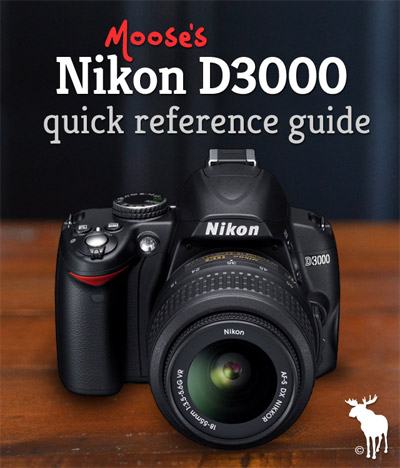
Nikon D3000 Quick Guide: Tips & Resources for Beginners
Approved Memory Cards & Capacity: The Nikon D3000 is compatible with SanDisk and Lexar branded SD and SDHC memory cards.
| Card Size | No. of Images (Fine) | No. of Images (RAW) |
|---|---|---|
| 8GB | 1,082 | 470 |
| 16GB | 2,164 | 940 |
| 32GB | 4,328 | 1,880 |
| Compatible Charger | Compatible Battery | Battery Life |
|---|---|---|
| Nikon EN-EL9a | Nikon MH-23 | 550 shots |
Recommended Bags & Cases: The Nikon D3000 is 4.41″ long by 2.99″ tall by 1.89″ wide. Here are the best cases and bags that fit the D3000 like a glove.
| All Purpose | Compact | Stylish | Travel | Underwater |
|---|---|---|---|---|
| Case Logic SLRC-202 Medium SLR Bag |
Case Logic SLRC-200 Compact Holster |
Crumpler 5 Million Dollar Messenger Bag |
Case Logic SLRC-205 Sling Bag |
Ikelite #6801.30 Underwater Housing |
Compatible Lenses: The Nikon D3000 can only achieve autofocus with AF-S and AF-I labeled lenses. If you go with a third party lens (Tamron, Sigma, etc…) make sure the lens has an internal focusing motor. Here are my recommended starter lenses.
| Subject/Scene | Lens |
|---|---|
| Indoor Portraits/Family Shots | Nikon AF-S 35mm f/1.8G |
| Outdoor Portraits/Candids | Nikon AF-S 50mm f/1.8G |
| Weddings | Tamron 17-50mm f/2.8 — *Nikon equivalent: AF-S 17-55mm f/2.8G ED-IF |
| Outdoor sports (action) | Nikon AF-S 55-300mm f/4.5-5.6 VR |
| Indoor/Low-light sports (action) | Tamron 70-200mm f/2.8 — *Nikon equivalent: AF-S 70-200mm f/2.8G ED VR II |
| Landscape | Sigma 10-20mm f/4-5.6 — *Nikon equivalent: AF-S 10-24mm f/3.5-4.5G ED |
| Wildlife | Sigma 150-500mm f/5-6.3 — *Nikon equivalent: AF-S 200-400mm f/4G ED VR II |
| Macro | Nikon AF-S 40mm f/2.8G (lens) or Raynox DCR-250 (adapter) |
| All-in-one Walkaround | Tamron 18-270mm VC f/3.5-6.3 — *Nikon equivalent:AF-S 18-200mm f/3.5-5.6G ED VR II |
Filter Size & Adapters: The Nikon D3000 18-55mm VR kit lens accepts 52mm filters. Here are my recommended filters.
| 52mm UV | 52mm Polarizer | 52mm ND 3 Stop | 52mm ND 10 Stop |
|---|---|---|---|
| B+W, Hoya, Tiffen | B+W, Hoya, Tiffen | B+W, Hoya, Tiffen | B+W, Hoya |
Compatible External Speedlites (Flashes):
| Portable | All Purpose | Professional |
|---|---|---|
| Nikon SB-400 | Nikon SB-700 | Nikon SB-910 |
| Wireless Remote | Right-angle viewfinder | Video cable |
|---|---|---|
| Nikon ML-L3 | Nikon DR-6 | Nikon EG-D100 |
| Setting | Selection | Manual |
|---|---|---|
| Highest Image Quality & Compression | Select JPEG (Fine) or RAW | Pg. 50 |
| Largest Image Size | Select Large (icon: L) | Pg. 52 |
| ISO (Outdoors/Bright Light) | Select an ISO of 100 | Pg. 62 |
| ISO (Indoors/Low Light) | Select Auto or manually set between 400 to 3200 | Pg. 62 |
| White Balance | Select Direct Sunlight, Cloudy, Shade, Incandescent, Fluorescent, Flash or Preset Manual | Pg. 80 |
| Effect | Selection | Manual |
|---|---|---|
| Shoot in Black and White | MENU → Set Picture Control → Monochrome | Pg. 87 |
| Increase Color Saturation | MENU → Set Picture Control → Vivid | Pg. 82 |
| Convert Color Photo to Black & White | MENU → Retouch Menu (Paint Brush Tab) → Monochrome | Pg. 150 |
| Process NEF (RAW) Files In-Camera | MENU → Retouch Menu (Paint Brush Tab) → NEF (RAW) Processing | Pg. 149 |
| Add Digital Filters to Your Photos | MENU → Retouch Menu (Paint Brush Tab) → Filter Effects | Pg. 144 |
| Create an Outline Copy for Painting | MENU → Retouch Menu (Paint Brush Tab) → Color Outline | Pg. 150 |
| Miniature Tilt-shift Effect | MENU → Retouch Menu (Paint Brush Tab) → Miniature Effect | Pg. 143 |
| Setting | Selection | Manual |
|---|---|---|
| Quick burst of shots | i Button → Release Mode Tab → Continuous (icon: three boxes) | Pg. 53 |
| Imprint the Time & Date | MENU → Setup Menu tab (icon : wrench) → Date Imprint | Pg. 136 |
| Include Yourself in the Photo | i Button → Release Mode tab → Self-timer (icon: clock) | Pg. 53 |