Nikon D3100 Memory Card Recommendations
Compatibility
The D3100 takes 3 types of memory cards…
- SD – Up to 4GB worth of images and video.
- SDHC – Up to 32GB worth of images and video.
- SDXC – Up to 128GB (currently) worth of images and video.
Image Capacity
The information below shows the total number of images that can be recorded based on memory card size…
- 4GB – 254 images (fine) and 129 images (raw)
- 8GB – 509 images (fine) and 259 images (raw)
- 16GB – 1,018 images (fine) and 518 images (raw)
- 32GB – 2,036 images (fine) and 1,036 images (raw)
- 64GB – 4,072 images (fine) and 2,072 images (raw)
HD Video Requirements
In order to record HD video on the D3100, your memory card will need to have a Class 6 rating or higher. If it doesn’t meet this requirement, video recording may stop unexpectedly.
Video Capacity
No matter how large your memory card is, video clips are limited to 10 minute segments. The information below shows the overall recording time based on the highest quality movie frame size (1920×1080):
- 4GB – 26min 40sec (.mov)
- 8GB – 53min 20sec (.mov)
- 16GB – 106min 40sec (.mov)
- 32GB – 213min 20sec (.mov)
- 64GB – 426min 40sec (.mov)
Speeds & Ratings
Class Ratings
 Class ratings represent the minimum write speed for a memory card. So a memory card with a class 6 rating will have a minimum write speed of 6 megabytes per second. As mentioned above, Nikon requires a Class 6 rating or higher in order to record and playback HD video with the D3100. I recommend going with a Class 10 card just to be safe.
Speed Ratings
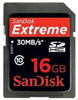
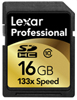
 Speed ratings represent the maximum read/write speeds. If you plan on recording HD video, shooting long bursts of images (10+) in continuous mode or capturing RAW images with your D3100, then I recommend going with a Lexar Professional (133x or higher) or a SanDisk Extreme (30MB/s or higher).
My Picks
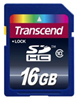
Lexar and SanDisk memory cards are the safest bets when it comes to reliability and performance. I’ve used them for years and trust them with all of my pro work. Recently, I’ve been using Transcend cards for personal use and have been pleasantly surprised. Again, if you plan on utilizing some of the more advanced features on the D3100 (video, RAW, burst) then go with a Lexar Professional (133x or higher) or a SanDisk Extreme (30MB/s or higher). If you just need something for everyday (personal) use, Transcend (class 10) cards are an excellent value.
Here are my memory card picks for the Nikon D3100…
|
|
|
Check out the D3100 homepage for more tips, advice and recommendations. Happy shooting!