Scene & Guide Modes for the Nikon D3100
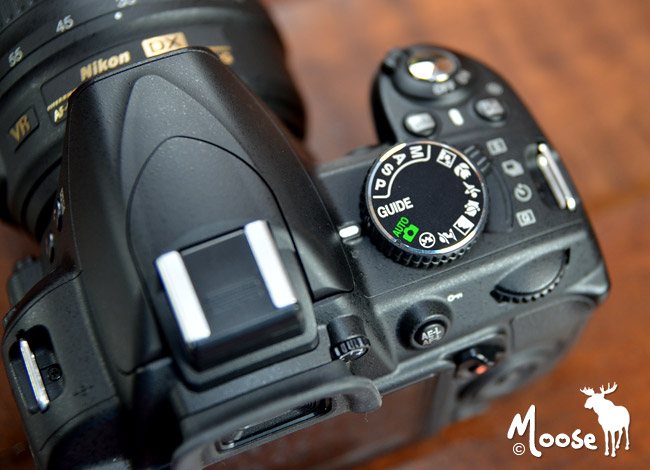
If you’re new to digital photography, chances are you’ve resorted to using Auto mode for all subjects and situations. This is fine if you’re trying to get an accurate exposure, however, in order to capture cool effects and freeze fast action you’ll need to venture into more advanced modes.
Before jumping head first into Aperture priority, Shutter priority or Manual mode, I recommend starting with Scene modes and Guide modes.
Scene Modes
By selecting a scene mode, you’re telling the D3100 exactly what you’re looking at which helps it determine the best settings to use in that specific situation. Here’s a list of the available scene modes…
- Portrait
- Landscape
- Child
- Sports
- Close-up
- Night Portrait
Guide Modes
If you have a little more time on your hands, you can use Guide modes to capture even more specific subjects or scenes. Just rotate the mode dial to GUIDE and select Shoot. From there you’ll have three options…Easy Operation, Advanced Operation and Use a Timer/Quiet Shutter.
- Guide Modes available with Easy Operation
- No Flash
- Distant subjects
- Close-ups
- Sleeping faces
- Moving subjects
- Landscapes
- Portraits
- Night Portrait
- Guide Modes available with Advanced Operation
- Soften backgrounds
- Bring more into focus
- Freeze motion (people)
- Freeze motion (vehicles)
- Show water flowing
- Guide Modes available with Use a Timer/Quiet Shutter
- Single frame
- Continuous
- 10-second self-timer
- Quiet shutter release
Need Help with Settings?
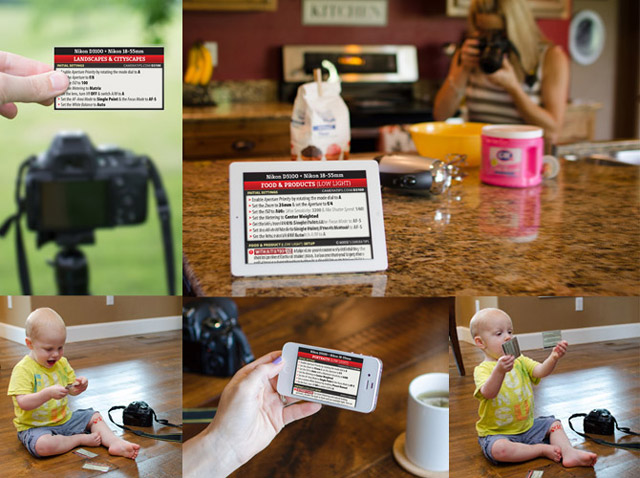
If you’re feeling adventurous and want to begin learning how to shoot with Aperture or Shutter priority, then I encourage you to check out my Cheat Cards for the Nikon D3100. These nifty little cheat sheets will tell you exactly which settings I would start with. My settings are specific to the Nikon D3100 and select Nikon lenses which allows me to provide very detailed settings, improving your odds of capturing a keeper. Sound good? Click here for more info.
Happy shooting! :)